Why and how to transpile your circuits
Most quantum computers do not support arbitrary operations, but implement quantum computation using specific gates from a universal gateset. It is therefore necessary to convert a quantum circuit, consisting of various quantum operations, to one compatible with a specific, physical quantum hardware device before executing the circuit on the device. This processed is called transpilation While Haiqu SDK takes care of transpilation automatically when you submit your circuits using thehaiqu.run function, it may be useful to transpile your circuits and inspect the relations between the circuit characteristics and transpilation parameters.
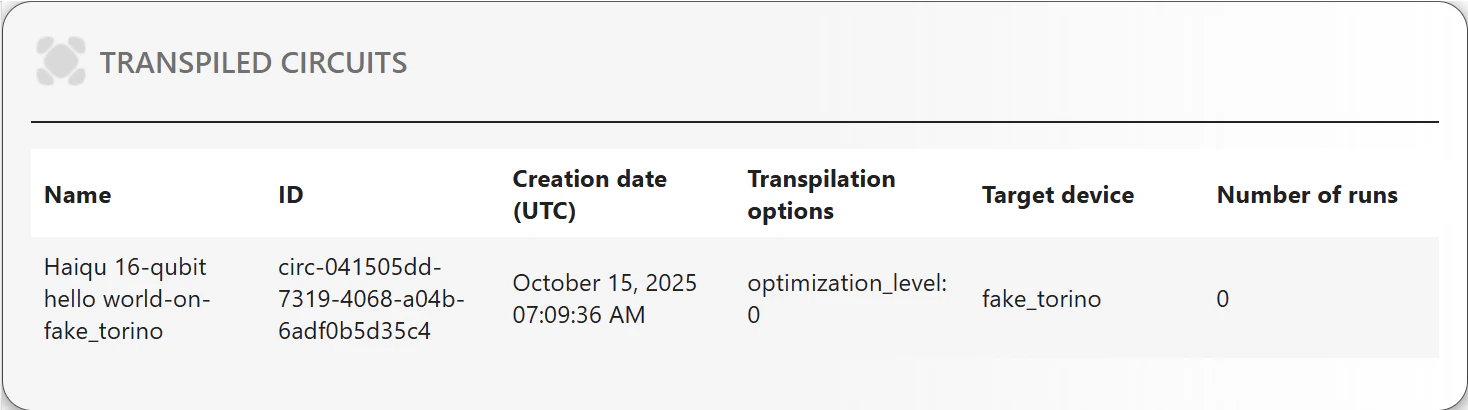
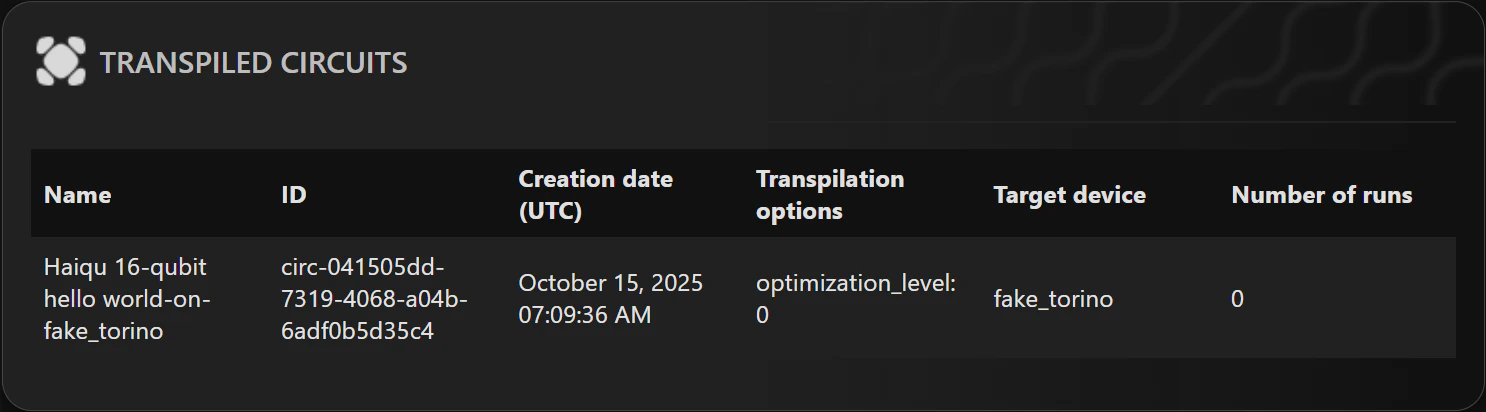
Haiqu SDK uses the open-source Rivet Transpiler for transpilation of your circuits. Transpiling a circuit is as easy as follows:
Comparing transpilations
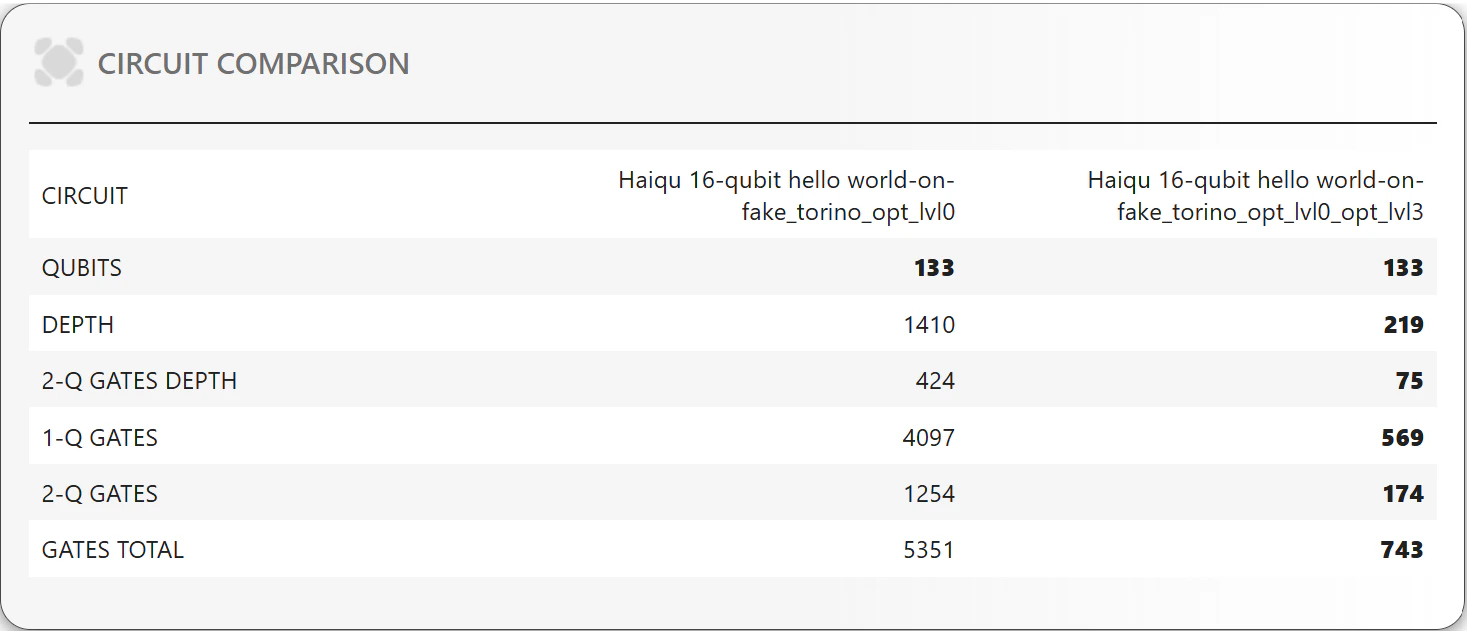
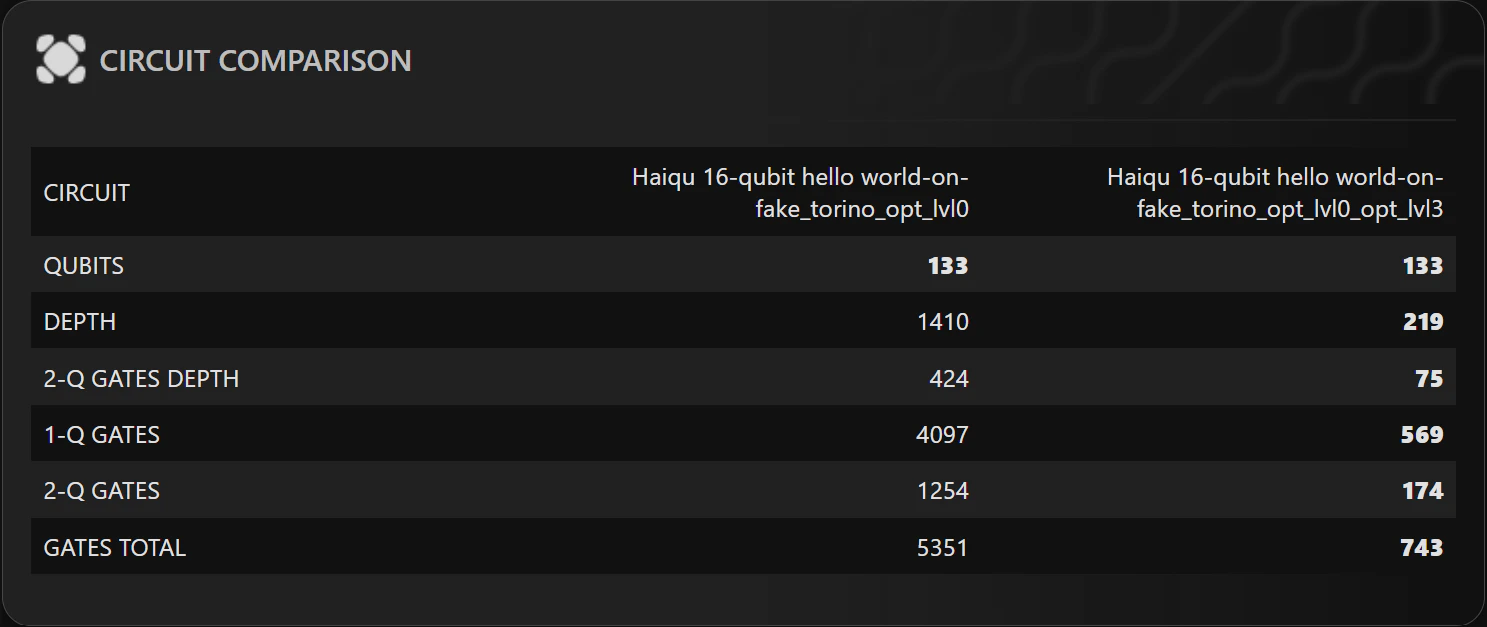
Ashaiqu.transpile offers a large number of parameters that allow to customize the transpilation, such as optimization_level, initial_layout, basis_gates (for more details see the documentation of Rivet), it may sometimes be useful to compare the circuits resulting from transpilation with different parameters. For instance, one can change the optimization level during transpilation:
haiqu.compare_metrics function: