> ## Documentation Index
> Fetch the complete documentation index at: https://docs.haiqu.ai/llms.txt
> Use this file to discover all available pages before exploring further.
# Transpilation
> Transpiling the circuits to different devices and comparing transpilations
## Why and how to transpile your circuits
Most quantum computers do not support arbitrary operations, but implement quantum computation using specific gates from a universal gateset. It is therefore necessary to convert a quantum circuit, consisting of various quantum operations, to one compatible with a specific physical quantum hardware device before executing the circuit on the device. This process is called transpilation.
While Haiqu SDK takes care of transpilation automatically when you submit your circuits using the `haiqu.run` function, it may be useful to transpile your circuits and inspect the relations between the circuit characteristics and transpilation parameters.
Haiqu SDK uses the open-source [Rivet Transpiler](https://github.com/haiqu-ai/rivet) for transpilation of your circuits. Transpiling a circuit is straightforward:
```python theme={null}
device = haiqu.get_device("fake_torino")
transpiled_circuit = haiqu.transpile(circuit, device)
```
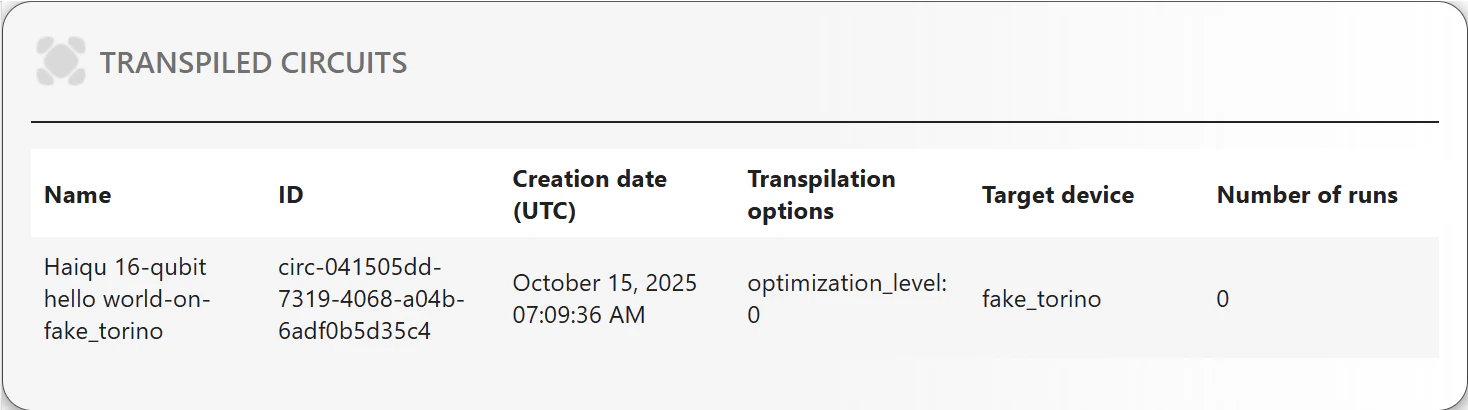
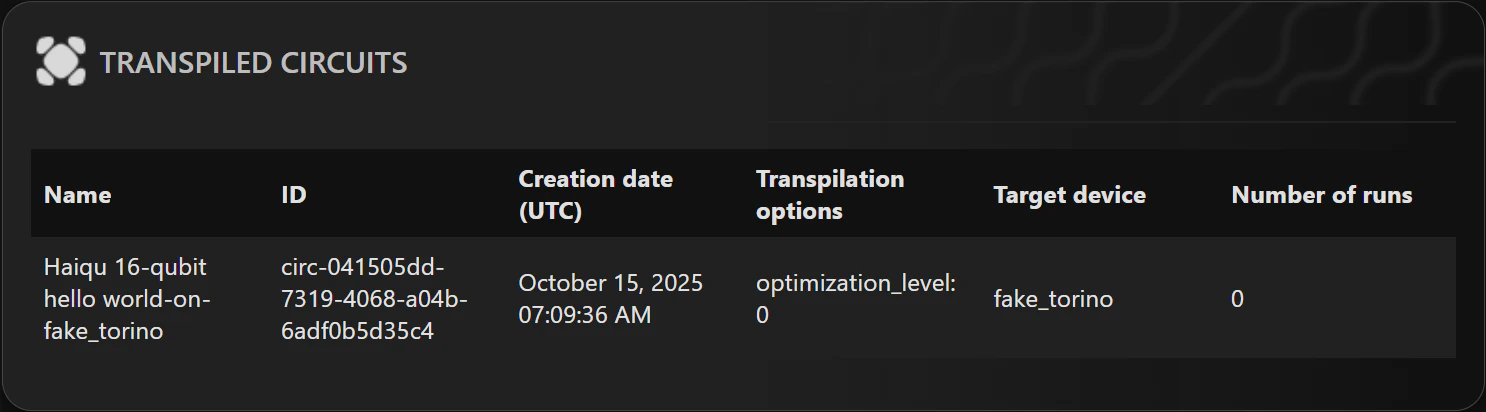
Every circuit stores the information about its transpiled versions, which can be viewed using:
```python theme={null}
haiqu.list_transpiled_circuits(circuit)
```
 ## Comparing transpilations
As `haiqu.transpile` offers a large number of parameters that allow you to customize the transpilation, such as `optimization_level`, `initial_layout`, `basis_gates` (for more details see the [documentation of Rivet](https://haiqu-ai.github.io/rivet/index.html)), it may sometimes be useful to compare the circuits resulting from transpilation with different parameters. For instance, one can change the optimization level during transpilation:
```python theme={null}
transpiled_circuit_opt0 = haiqu.transpile(circuit, device, optimization_level=0)
transpiled_circuit_opt3 = haiqu.transpile(circuit, device, optimization_level=3)
```
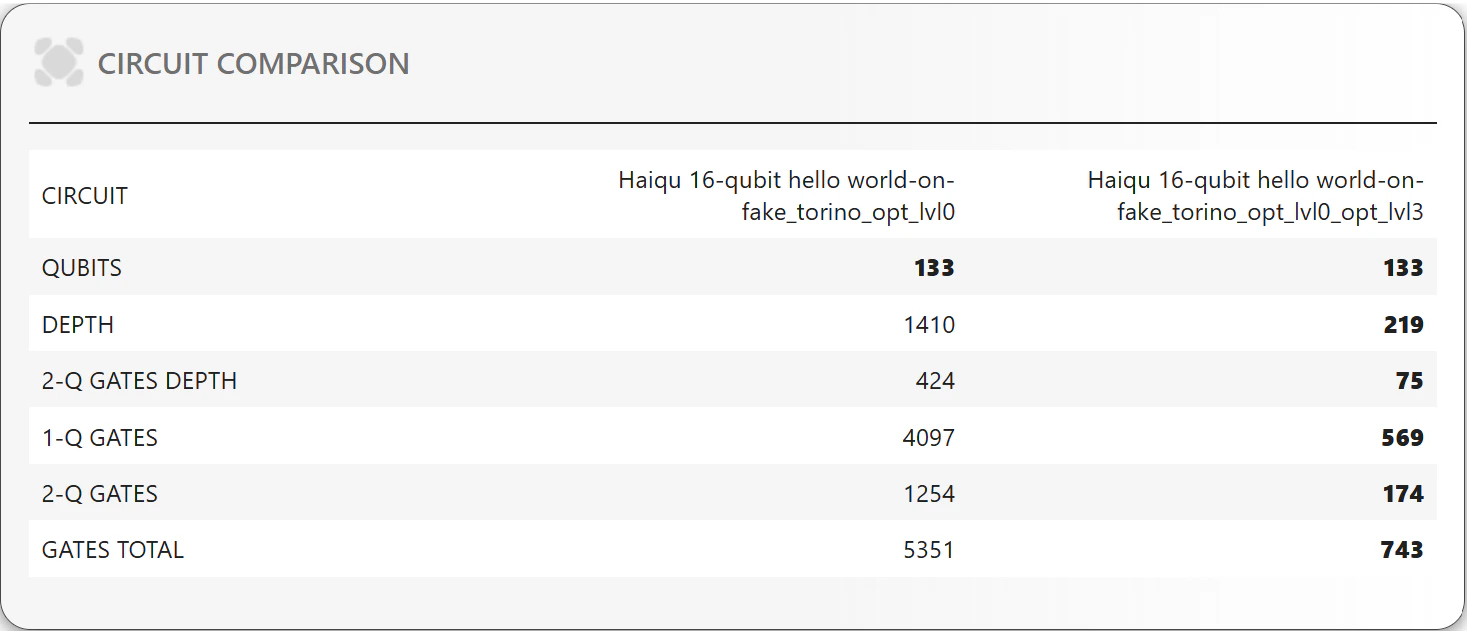
It is then convenient to compare the resulting circuits using `haiqu.compare_metrics` function:
```python theme={null}
haiqu.compare_metrics(transpiled_circuit_opt0, transpiled_circuit_opt3)
```
## Comparing transpilations
As `haiqu.transpile` offers a large number of parameters that allow you to customize the transpilation, such as `optimization_level`, `initial_layout`, `basis_gates` (for more details see the [documentation of Rivet](https://haiqu-ai.github.io/rivet/index.html)), it may sometimes be useful to compare the circuits resulting from transpilation with different parameters. For instance, one can change the optimization level during transpilation:
```python theme={null}
transpiled_circuit_opt0 = haiqu.transpile(circuit, device, optimization_level=0)
transpiled_circuit_opt3 = haiqu.transpile(circuit, device, optimization_level=3)
```
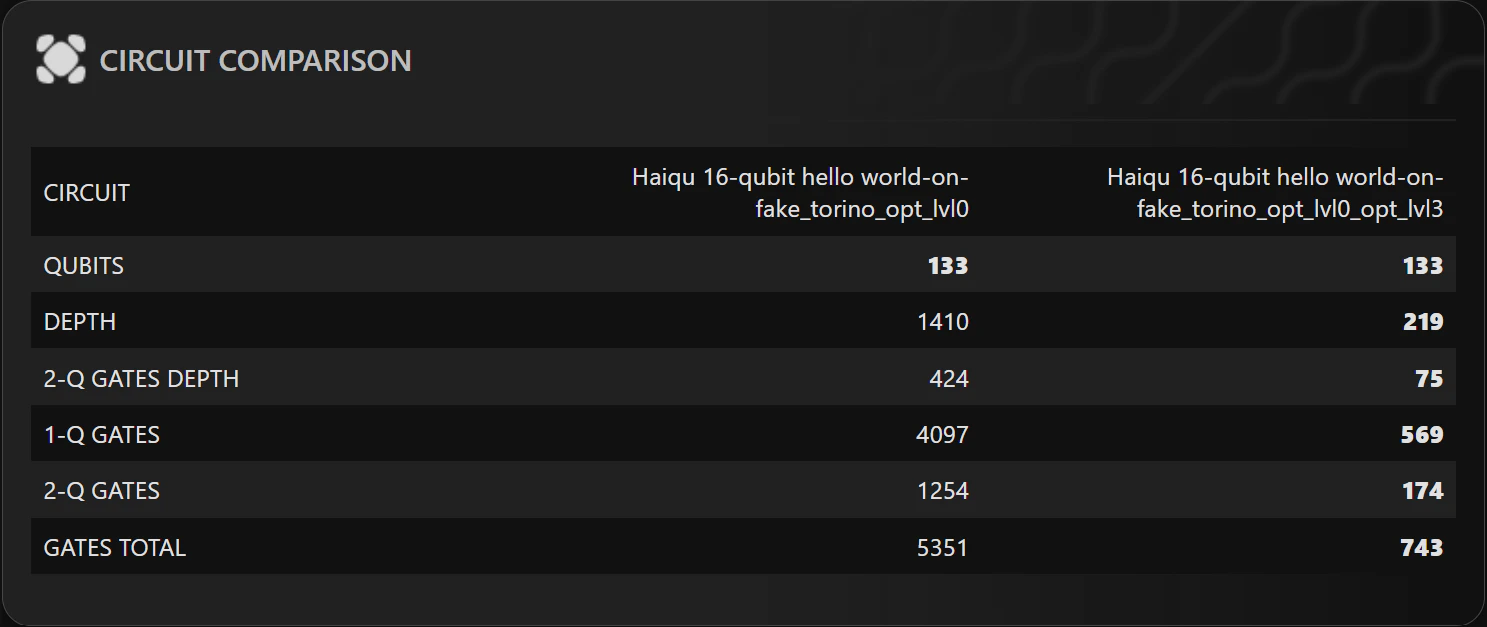
It is then convenient to compare the resulting circuits using `haiqu.compare_metrics` function:
```python theme={null}
haiqu.compare_metrics(transpiled_circuit_opt0, transpiled_circuit_opt3)
```
 ### Transpiling with custom basis gates and coupling maps
`haiqu.transpile` also allows you to override device constraints, such as `basis_gates` and `coupling_map`. This is useful for simulator experiments or for studying how different hardware constraints affect circuit depth, gate counts, and other metrics.
For example, to transpile with an all-to-all connectivity and a custom gate set:
```python theme={null}
device = haiqu.get_device("aer_simulator")
transpiled_circuit = haiqu.transpile(
circuit,
device,
basis_gates=["cx", "u3"]
)
```
This mirrors Qiskit’s `transpile` behavior, where explicitly provided `basis_gates` or `coupling_map` can override the backend constraints.
### Transpiling with custom basis gates and coupling maps
`haiqu.transpile` also allows you to override device constraints, such as `basis_gates` and `coupling_map`. This is useful for simulator experiments or for studying how different hardware constraints affect circuit depth, gate counts, and other metrics.
For example, to transpile with an all-to-all connectivity and a custom gate set:
```python theme={null}
device = haiqu.get_device("aer_simulator")
transpiled_circuit = haiqu.transpile(
circuit,
device,
basis_gates=["cx", "u3"]
)
```
This mirrors Qiskit’s `transpile` behavior, where explicitly provided `basis_gates` or `coupling_map` can override the backend constraints.